
Help with a setup
A refused login, a guide that is an hour out, a picture that keeps pausing: tell us the device and the player, and attach a photo of the screen.
Contact
To contact IPTV Subscription 4K, use WhatsApp when you are at the TV and want it fixed tonight, or email [email protected] when you would like a written record. Both are watched 24/7 and answered in English.
Contact
A refused login, a guide that is an hour out, a picture that keeps pausing: tell us the device and the player, and attach a photo of the screen.
Not sure which pass suits you? Say how many TVs must play together and what you watch on; we confirm the right pass before you pay.
For a receipt, a refund request or anything you would like on record: [email protected].
Your message
The fastest answers come from messages that show us what you are looking at. Begin with the hardware: which TV, stick or box (brand and model number), and which player app is on it. Then sum up what happens in a sentence and, if an error appears, send a photo of it.
For an order question, quote the username from your login message, or the phone number or email address it went to. For a picture problem, tell us when it happened and the speed the TV or stick itself measures; a reading taken on a phone tells us little about the television.
If you ask for help anywhere else, keep your login out of public groups and forums. A login posted in public can be suspended.
Reply times
Messages are read 24/7, evenings, weekends and bank holidays included. We do not promise an answer within a fixed number of minutes: a setup question can take several exchanges, and a careful answer beats a hurried one.
WhatsApp is quicker for anything you are doing at the TV, because you can send photos and try each step as we suggest it. Email suits refund requests and anything you want to keep. Evenings at peak time and big match nights are the busiest, so if your question can wait, the afternoon is a quieter moment to send it.
Topics
Plenty of answers are already on the site. These six cover most of what people write to us about.
Compare the lengths and screens on the IPTV subscription plans page, then tap the order button under the one you want. Unsure about your device? Ask us first.
It normally lands within 2 minutes. Look in the spam folder of the email you gave and in the WhatsApp chat you ordered from, then write to us with the time you paid.
The setup steps for every device cover the player and the login; the guides for the Fire TV stick and for Samsung, LG and Google TV sets go into more depth.
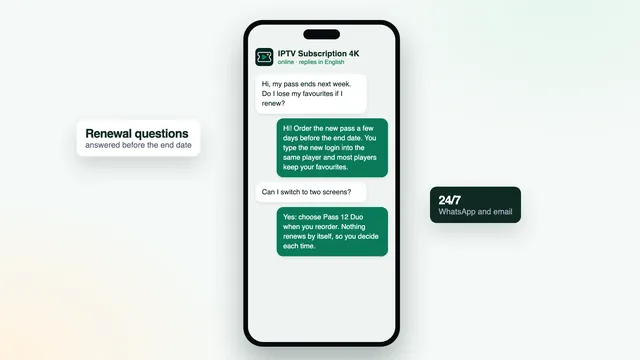
Nothing renews on its own. Read how renewal works, then send a new order whenever you are ready; the new login goes into the players you already use.
Possible for 7 days after paying, if the login never came or no screen at home shows a picture even with our help. The refund policy and the cancellation rights cover the rest.
Ask to see, correct or delete what we hold about you. The privacy policy explains what that is and how long it is kept.
Before you write
Turn the router off and on again, then close and reopen the player. A picture that keeps stopping often recovers after that alone.
It is the last line of your login message. Once that date has passed the pass stops, and only a new order restarts it.
Run the test on the TV or stick, not a phone. Around 5 Mb/s keeps HD smooth, 10 covers Full HD, and a 4K screen wants 25.
FAQ
No. We work through WhatsApp and email, which let you send photos of the screen and keep a record of every step. Both are answered around the clock.
Yes. Tell us your TV or device and how many screens should play together, and we confirm whether a pass will work and which length makes sense.
Email [email protected], giving the day you ordered and the username in your login message, and a receipt comes back to you.
English, on WhatsApp and by email, at any hour of the day or night.
If you used email, check your spam folder; on WhatsApp, make sure the message shows as delivered. If all still looks quiet, send the same message through the other channel.
Each pass is paid once and comes with its end date in writing. The login arrives 2 minutes after payment, and the 7-day guarantee covers one that never plays at home.