Guide
IPTV subscription multi room: how many screens each pass allows
Most IPTV subscription multi-room questions come down to one number: how many pictures can run at once. This guide covers what each pass allows, setting up the TVs around your home, moving between rooms, what stops a stream and when to switch to Pass 12 Duo at renewal.
IPTV subscription multi room: what each pass allows
Whichever pass you hold, the catalogue behind it is identical: 40,000+ channels live, 120,000 titles in the library, and pictures from HD up to 4K wherever the source was made in 4K. What differs between passes is how long each lasts and how many screens may run at once.
Three passes allow one screen at a time and one allows two. A screen, here, is a picture that is playing, not a device with the login saved in it: a player resting on its menu takes up nothing.
| Pass | Pictures playing together | Runs for | One payment | Each month | Each month, per screen |
|---|---|---|---|---|---|
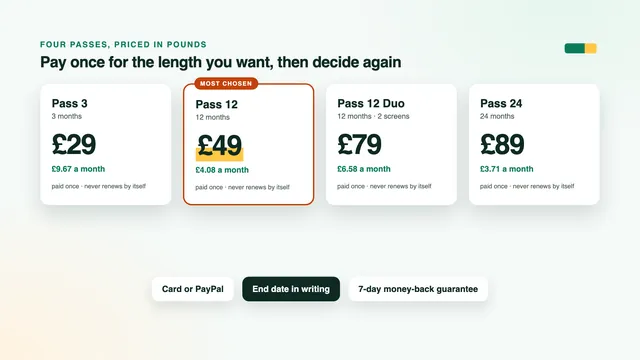
| Pass 3 | One | three months | £29 | £9.67 | £9.67 |
| Pass 12 | One | a year | £49 | £4.08 | £4.08 |
| Pass 12 Duo | Two | a year | £79 | £6.58 | £3.29 |
| Pass 24 | One | two years | £89 | £3.71 | £3.71 |
Read the last column with care. Pass 12 Duo costs £79, £19 less than buying Pass 12 twice, and works out at £3.29 a month per screen. That is only a saving if two people really do watch different things at the same moment; if not, Pass 12 at £4.08 a month, or Pass 24 at £3.71, is all the house needs.
There is no pass for three or four screens at once. If three people in your home regularly want three different programmes on the same evening, write to the team before you order and describe a typical night. To weigh the lengths against each other, compare the four passes side by side.
One login on several devices at home
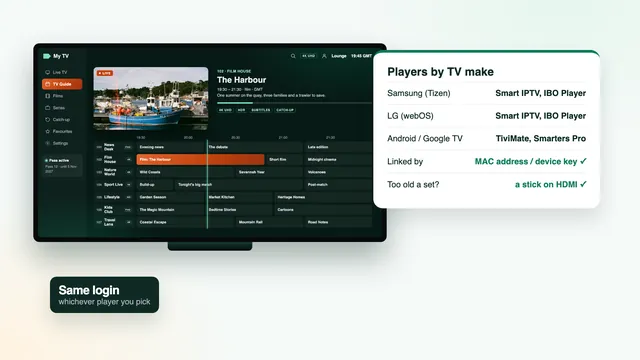
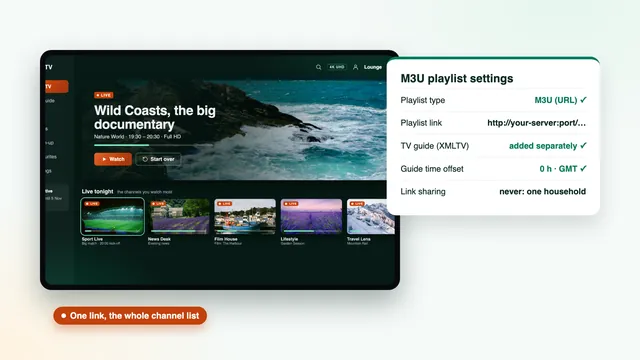
The message that brings your access has three details for a player’s Xtream screen (username, password, server URL), plus an M3U playlist link and a TV-guide link. You can type them into every player in the house: the lounge TV, a bedroom stick, the kitchen tablet. The pass does not count devices; it counts pictures playing at the same time.
An IPTV subscription multi-room set-up therefore starts with a little patience on the first evening. Set up each device once, calmly, and nobody ends up reading a password off a phone in a dark bedroom ten minutes before kick-off.
A sensible order for setting up the house
- Start with the main TV, usually in the lounge, and check that a few channels, the guide and one film open.
- Add the second most-used screen, such as a bedroom stick or a box in the kitchen.
- Add phones and tablets last: handy for a glance at the guide, and the devices most often left playing.
- Note the end date from your login message somewhere the household will see it, such as the fridge.
For the menus of each device, the IPTV subscription setup page goes through every player. There are separate walk-throughs for setting up a Fire TV stick and for televisions that run the player directly. If an older bedroom TV only runs a basic player, the M3U guide shows when the playlist link is the simpler route.
The TVs do not have to match
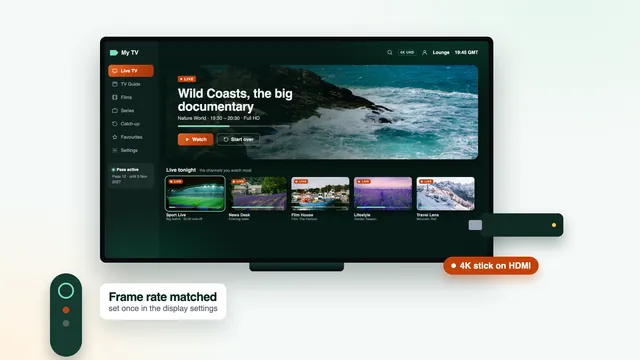
The lounge can show 4K on a 4K TV while a smaller set upstairs shows the same programme in HD or Full HD. Channels are listed with quality badges, so on the smaller screen pick the Full HD or HD version: at that size the difference is hard to see, and it asks far less of the Wi-Fi.
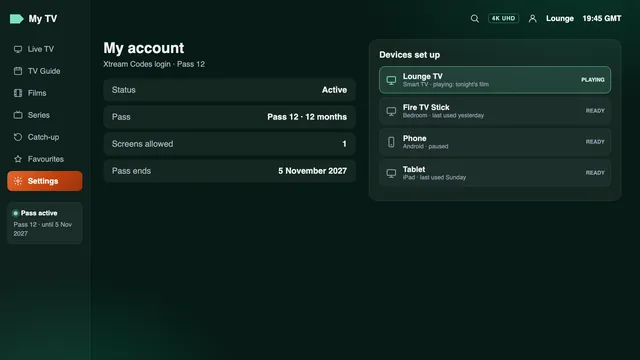
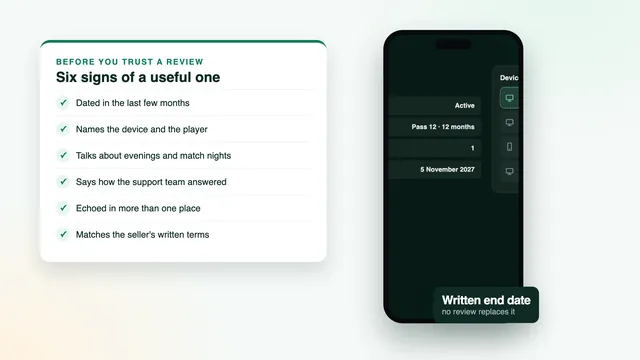
Many players have an account or user-info screen showing the end date of your pass and, in most of them, the number of connections the login allows: one on Pass 3, Pass 12 and Pass 24, two on Pass 12 Duo. It tells you at a glance which pass a device is using.
Moving between rooms without cutting the picture
On a one-screen pass, going from the lounge to the bedroom is a hand-over: the first device stops, then the second starts. Done the other way round, the new room may refuse to play or the lounge picture may stop, depending on the player.
- Stop playback in the room you are leaving: back out to the player’s menu, or close the player.
- If that room has a stick or a box, press its own Home button too; switching the TV off with the TV’s remote does not always put the stick to sleep.
- In the new room, start the channel. If the player reports that the connection limit is reached, wait a minute and start it again.
- Still refused? Check every other screen in the house, phones included, before writing to support.
Picking up the same programme upstairs
A live channel simply carries on, so you rejoin a match where it has got to. A programme that began earlier can be restarted from catch-up on channels that have it, for up to about seven days on most of them; in the TV guide, replayable programmes carry a little clock or arrow symbol.
Library films reopen in the new room too, but most players save the resume point on each device separately, so skip forward to the scene you left.
What stops a stream, and how to prevent it
When the picture stops in one room, the cause is usually in the house rather than on the server. Treat every playing picture as a screen: a live channel, a catch-up programme and a library film all count the same.
| What happens | Likely cause | What to do |
|---|---|---|
| The bedroom will not play while the lounge is on | A one-screen pass with two pictures wanted at once | Stop one of them, or move to Pass 12 Duo when you renew |
| The lounge picture stops when someone opens the player on a phone | The phone started a second stream | Close the player on the phone once the score or the guide has been checked |
| Nobody is watching, yet the limit is reached | A stick, box or tablet still playing in an empty room | Press Home on each stick and box, and close the player on tablets |
| A split-screen view refuses its second tile | Multi-view opens one stream for each tile | Use a single picture, or keep multi-view for Pass 12 Duo when no other room is watching |
| Both rooms stutter at the same time in the evening | Two streams and the rest of the household share one line | Check the speed on each TV and give the busiest set a cable or 5 GHz Wi-Fi |
| One room buffers while the other is fine | Weak Wi-Fi in that room | Move the device closer, add a mesh point or a powerline adapter |
| Every device stops on the same day | The pass reached its end date | Place a new order, then type the new login into each player |
Broadband for two screens at once
Each screen needs its own share of the line, held steadily rather than reached now and then: budget 25 Mb/s for every 4K picture, 10 for each Full HD one and roughly 5 for plain HD. Two screens simply add up.
| Lounge | Second room | Allow about | Pass needed |
|---|---|---|---|
| HD or Full HD | Off | 5 to 10 Mb/s | Any pass |
| 4K | Off | 25 Mb/s | Any pass |
| Full HD | HD | 15 Mb/s | Pass 12 Duo |
| Full HD | Full HD | 20 Mb/s | Pass 12 Duo |
| 4K | Full HD | 35 Mb/s | Pass 12 Duo |
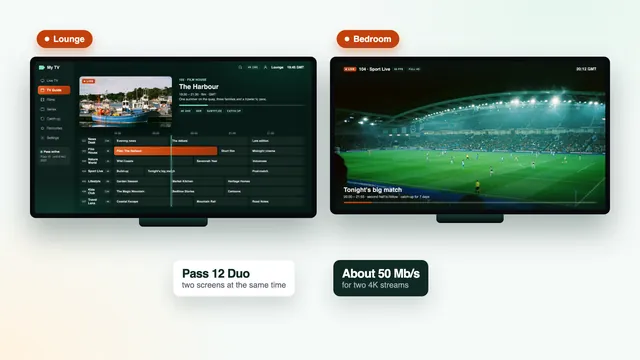
| 4K | 4K | 50 Mb/s | Pass 12 Duo |
Those figures cover the pictures alone. Phone updates, a console download and a video call share the same line, and the busy hours, roughly 7pm to 11pm, with Saturday evenings and big-match nights the worst of all, are when they pile up. Leave a margin.
Broadband is the part of IPTV subscription multi-room viewing that catches people out, because the lounge often sits next to the router while a bedroom at the far end of a terraced house, or two floors up in a flat, gets a fraction of that speed.
Getting a good signal to the second room
- A network cable gives the steadiest picture. A TV socket limited to 100 Mb/s is no problem: one 4K picture uses a quarter of that.
- 5 GHz Wi-Fi works well at short range, while 2.4 GHz gets crowded in flats and terraced streets.
- Powerline adapters send the connection along the house’s electrical wiring when a cable up the stairs is impractical.
- A mesh system puts a second Wi-Fi point near the far room.
- 4K in either room needs three links in the same chain: a TV that shows 4K, an HDMI port and lead rated 2.0 or later, and a device whose chip decodes HEVC (H.265) itself rather than in software.
If both rooms buffer together, restart the router and both players before contacting support. Big match evenings load a home connection hardest; the sports guide covers 50 frames per second streams and the few seconds of delay to expect behind the broadcast.
One screen or two: how to decide
A second screen is worth paying for when two people regularly want different programmes at the same moment, not just because the house has two TVs. Four questions settle it:
- On most evenings, do two of you want separate programmes simultaneously, or only now and then?
- Does a match in one room clash with a film or a box set in another?
- Do the children watch in their own room while the adults have the lounge?
- Is the line fast enough for two streams, measured on both devices?
If the first three describe one evening a month, a one-screen pass and a bit of planning are enough. If they describe most weeks, Pass 12 Duo removes the hand-over altogether, at about 11p a day per screen.
For comparison, two screens over twelve months cost about £96–£100 as seen on offers online when this guide was written. Pass 12 Duo at £79 sits below that range: one payment, no renewal unless you order again, and an end date in writing. The price guide breaks each pass down per month and per day and sets these figures against single-screen offers.
Moving to Pass 12 Duo at renewal
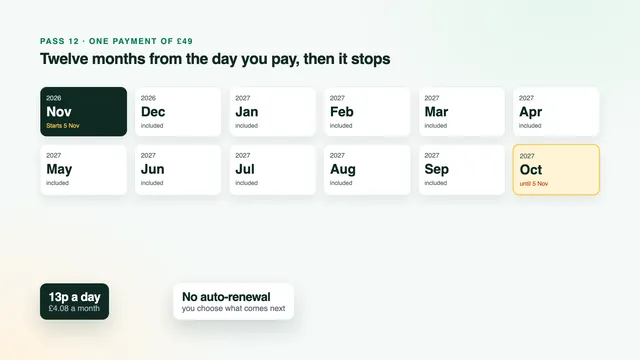
No pass renews by itself. Yours ends on the day named in your login message, and renewing is a new order that you place yourself. That makes the end date the natural moment to go from one screen to two.
- Check the end date in your login message, or on the player’s account screen.
- A few days before it, choose Pass 12 Duo from the plans on the home page and settle it in one go (debit or credit card or PayPal).
- The new login reaches you on WhatsApp or by email 2 minutes after payment, whatever the hour, with an end date 12 months later.
- Type the new username, password and server URL into each player in the house. The players stay installed; only the login changes.
- Check both screens together on an ordinary evening: one channel in the lounge, another in a bedroom.
A renewal is a new order, so expect a new login rather than the old one, and keep the message safe for the day a player is reinstalled.
The renewal guide covers the timing in more detail, so no weekend is lost between two passes, and the guide to a 12-month pass explains how the year is counted from the day you pay.
It works the other way too: if the second screen sits idle, go back to Pass 12 or Pass 24 at the next renewal.
House rules for a home with several TVs
A pass is for one household. Every TV, stick, phone and tablet in your home can use it within the screen limit. If the login leaves the household, or turns up in a public post, it can be suspended, and a suspension stops every room at once.
A few habits keep IPTV subscription multi-room use smooth for everyone under the same roof:
- Keep the login message private, and don’t forward it to group chats.
- On a one-screen pass, agree who has the TV on match nights before kick-off, not at kick-off.
- Before selling or giving away a stick, tablet or TV, delete the login from its player or reset the device.
If something still does not add up, such as a limit reached with every screen off, contact the team on WhatsApp or by email; support answers 24/7, in English. For everything a pass includes, from the channel list to the TV guide, start from the IPTV subscription home page.
Frequently asked questions
Can I install my login on more than one TV?
Yes. You can type the same Xtream login into every player in your home, from the lounge TV to a bedroom stick or a tablet. The limit applies to what plays at the same moment: one picture on Pass 3, Pass 12 and Pass 24, two on Pass 12 Duo.
What happens if two people press play at once on a one-screen pass?
Depending on the player, the second stream refuses to open or the first one stops. Nothing is damaged and the pass carries on; stop one of the two and the other plays normally. If it happens most evenings, Pass 12 Duo is the better fit at your next renewal.
Is there a pass for three or four TVs at the same time?
No. Pass 3, Pass 12 and Pass 24 allow one screen at a time and Pass 12 Duo allows two; there is no pass for more. If your home needs more than two pictures together, ask the team before ordering.
Will my login stay the same if I move to Pass 12 Duo?
Not necessarily. Renewing is a new order, so you receive a fresh login from the team and enter it in the players you already have. Nothing has to be reinstalled; you replace the username, password and server URL in each one.
How much broadband do two 4K TVs need for an IPTV subscription multi-room evening?
About 50 Mb/s, steady, measured on the devices themselves, plus room for whatever else the house does online. A 4K lounge TV with a Full HD set upstairs needs about 35 Mb/s. A cable to each TV, or 5 GHz Wi-Fi a short way from the router, makes the biggest difference.